Enter a domain above to look up its DNS records
What this DNS lookup shows
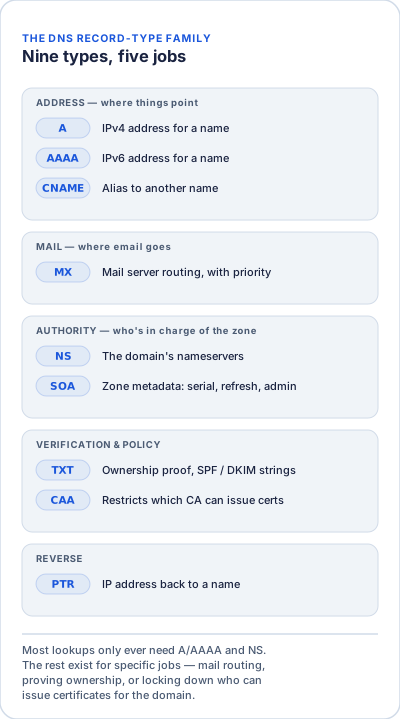
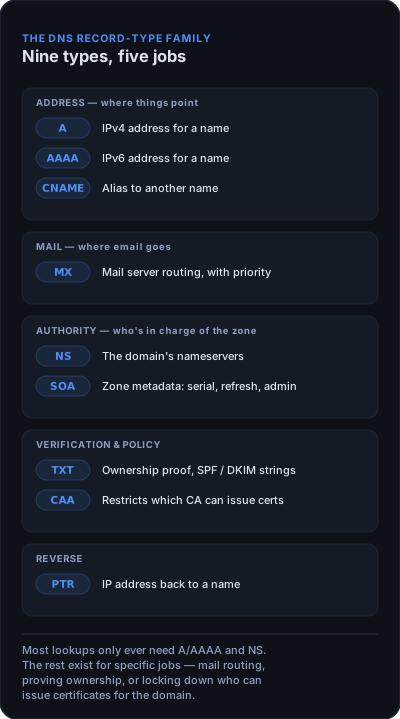
This tool asks Google Public DNS (dns.google) for the records a domain publishes and lists every answer it gets back. Choose ALL to query all nine record types in one go, or pick a single type such as MX or TXT. Because the answers come from a public resolver, they show what the wider internet currently sees — which can differ from your DNS provider's dashboard for a while after you make a change.
When to use it
- Check that a record you just added — a new A record, or the MX records for Google Workspace or Microsoft 365 — is now being served publicly.
- Troubleshoot email after a migration: MX shows where mail is delivered, TXT shows SPF and domain-verification strings.
- Confirm which nameservers (NS) a domain uses after moving it between hosts or registrars.
- Spot a stale or conflicting record left over from an old setup.
How to read the results
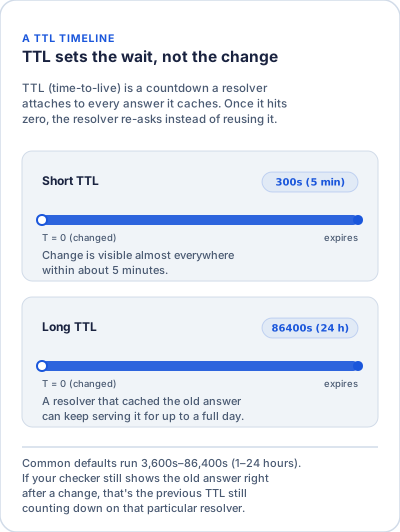
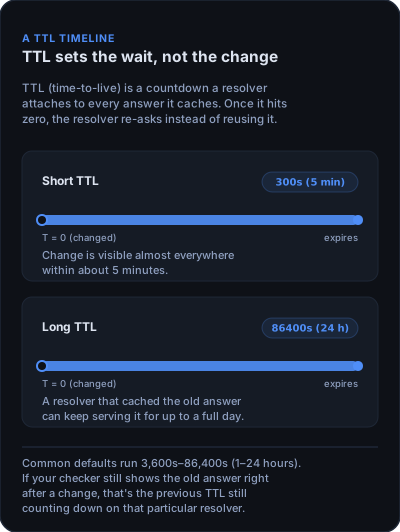
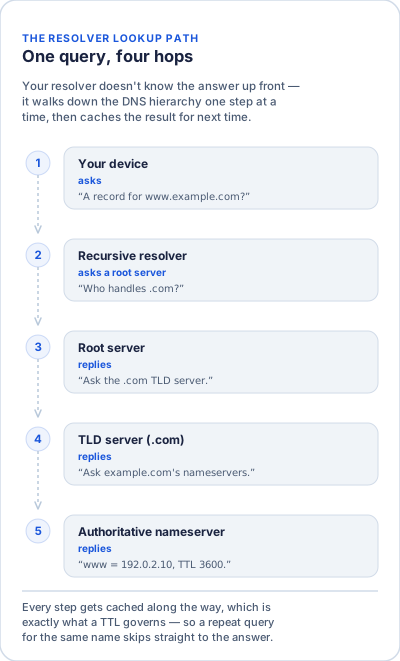
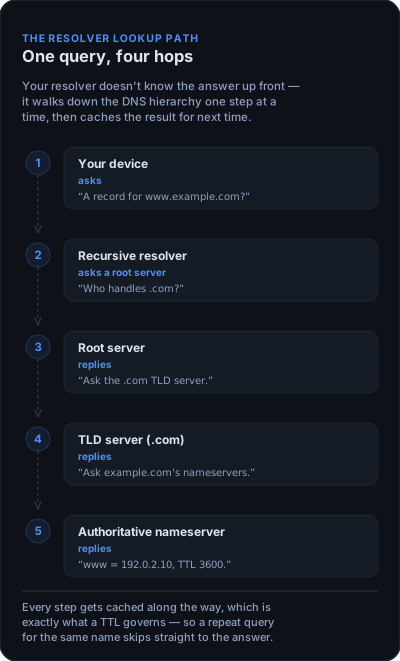
- Type is the record family, Data is the value the record returns, and TTL is how many seconds a resolver may keep this answer cached before asking again.
- A type missing from the table means the domain has no record of that type. That's normal — most domains don't publish CAA or PTR records, for example.
- Changed a record and still see the old value? Google's resolver may be holding the old answer until its TTL runs out. Try again later, or compare four public resolvers side by side with the DNS Propagation Checker.